Connect Your Ayla IoT Design Kit to the Power Source
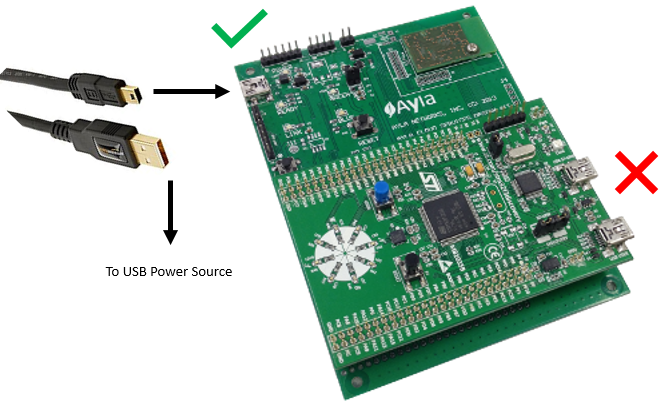
Start the Ayla IoT Design Kit as follows. Click the thumbnail below the steps to refer to the illustration as needed.
- Plug the Mini-B end of the USB adaptor cable into the Design Kit.
- Plug the Type A end of the USB adaptor cable into a USB power source.
- Verify that the Red Power LEDs illuminate on each board.
- After a brief initialization, verify that the Green Ready LED illuminates.
|
NOTE |
You may see a slightly different board layout depending on the version of your Ayla IoT Design Kit. |
|
IMPORTANT! |
The Orange LINK LED should NOT be illuminated at this time. If it is, please do a |
 Factory Reset